Daywright: Shift · A private shift planner for iPhone
Your shifts.
Your life around them.
See what’s coming up, keep track of the hours you worked, and understand your estimated pay.
Keep the rest of life close by, with to-dos for before work, days off, and whenever they fit.
Explore ShiftShift is in development. Explore the latest beta additions. Public download details will appear here when available. Requires iOS 17 or later.
01 / Your schedule
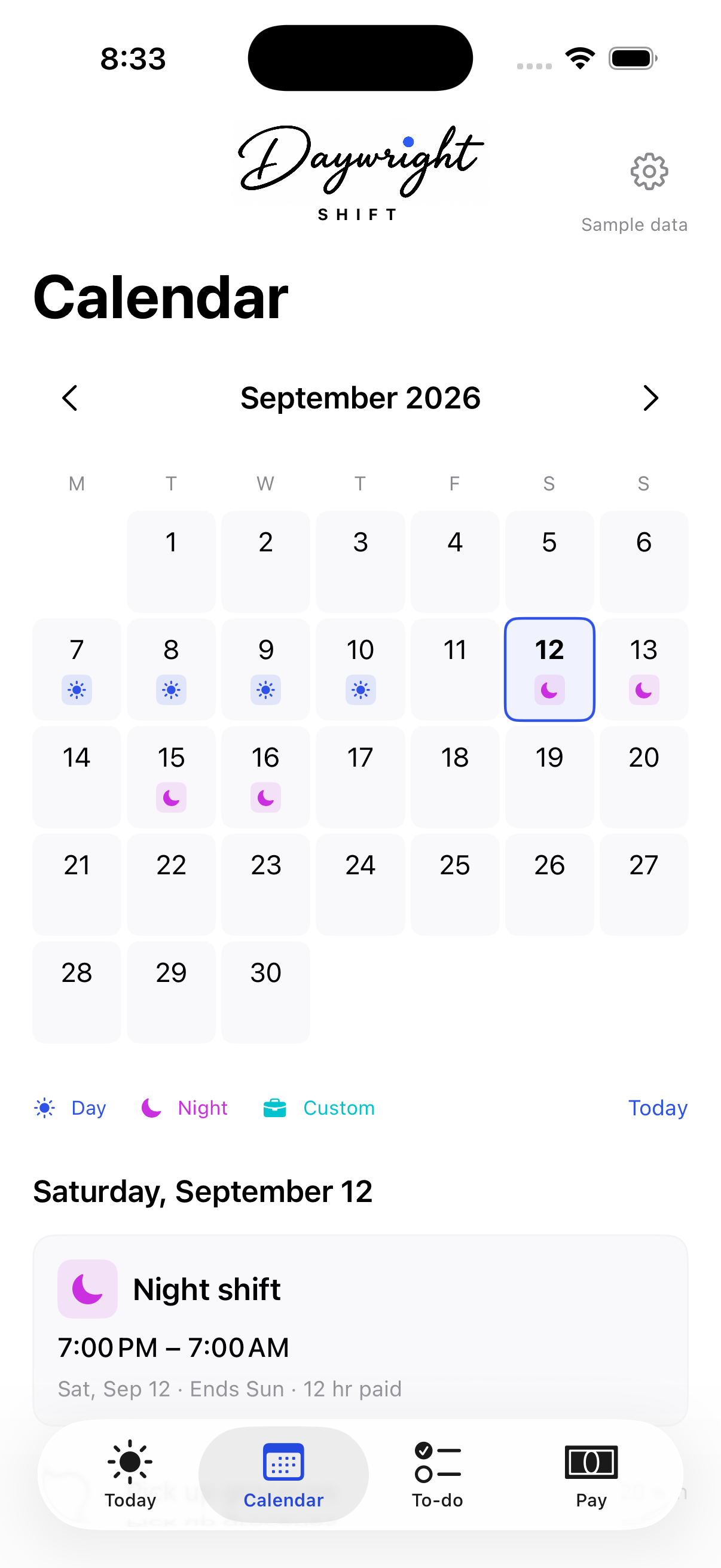
A working pattern you can see ahead.
Day, night, or your own hours
Add individual shifts, including overnight work. Keep scheduled times and actual hours separate.
Save your usual shifts
Create reusable templates for the shifts you work regularly, including unpaid breaks and hourly differentials.
Preview a rotation
Arrange shifts and days off into a repeating pattern. Review the preview before adding it to your calendar.
02 / Your pay
See where the estimate comes from.
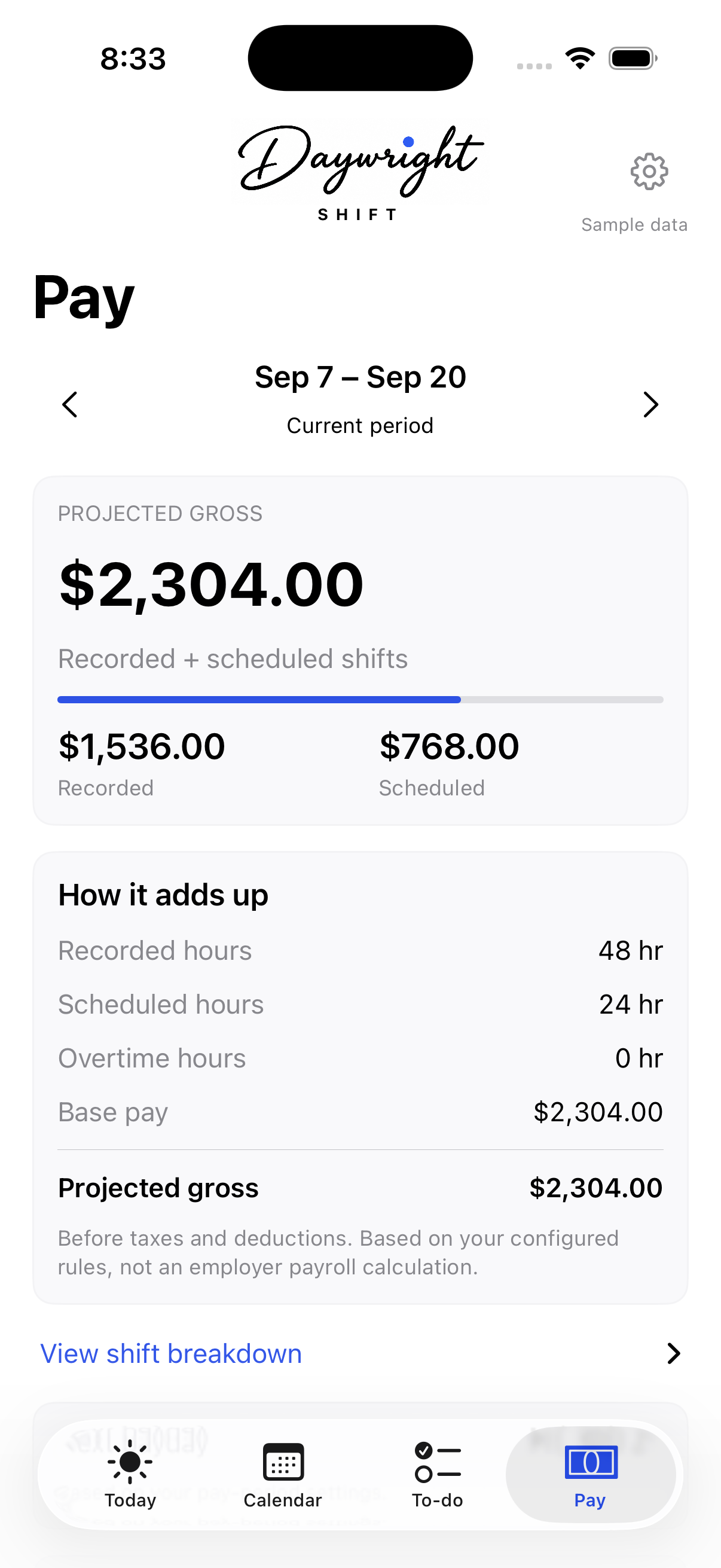
Review recorded and scheduled hours across your pay period, with the hourly rate, unpaid breaks, and overtime rules you entered.
Recorded uses hours you confirm you worked. Projected gross also includes scheduled shifts and any possible extra overtime they would create.
Log payments received separately. Gross estimates are before taxes and deductions; they are not take-home pay or an employer payroll calculation.
03 / Life outside work
There’s more to your day than a shift.
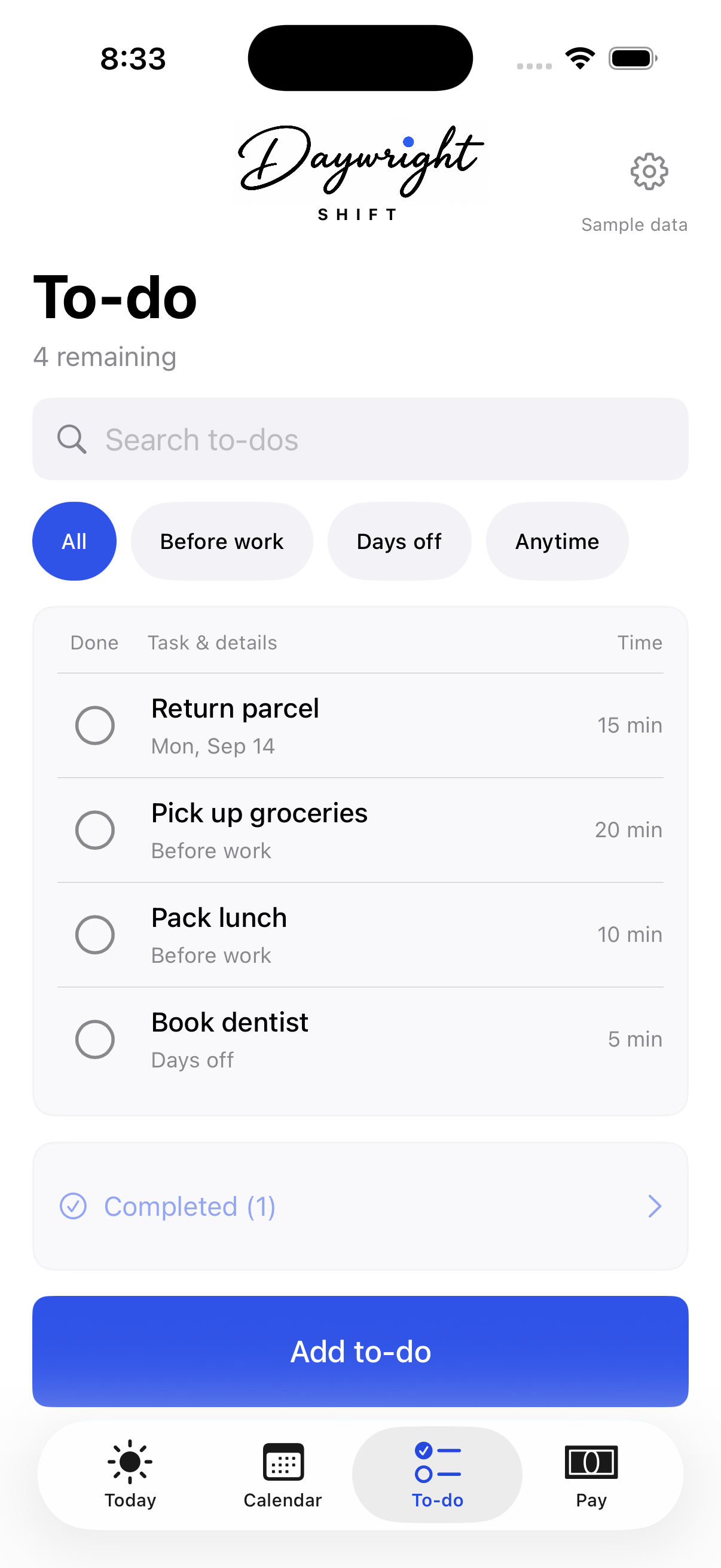
Pick up groceries. Pack lunch. Book the dentist. Capture a to-do and give it a rough duration, with optional notes and a due date.
Use Before work, Days off, and Anytime to organize your list. These labels help you choose; they do not schedule tasks automatically.
Search your list, mark things done, and reopen them when needed.
Close at hand when you need it.
Widgets
See a saved shift and to-do counts on your Home or Lock Screen. Shift names and pay estimates stay hidden by default.
Planned shift time
Start a Live Activity manually for a saved shift. It shows planned time; it does not clock you in or record worked hours.
Shortcuts
Open a to-do draft, your next shift, or your pay period through Siri and Shortcuts. Review a new to-do in Shift before saving.
New in the latest beta
On your wrist. Around the corner. Across your devices.
Optional iCloud sync
Keep shifts, recorded hours, pay settings, payment receipts, templates, and to-dos in step across devices running Shift. Turn on sync in Settings when you want it. Daywright and Shift keep separate data.
Set up iCloud syncApple Watch
Check your current or next shift, see to-dos, and capture a thought from your wrist. Complete a to-do or undo a completion without recording any worked hours. A captured title waits for an estimate on your phone; changes stay Pending until the phone saves them.
Use the Watch companionNearby to-dos
Save the pharmacy with “Pick up prescription” or the parcel shop with “Return parcel.” See to-dos near you, with an optional reminder when you arrive.
Add a place to a to-doYour information stays yours.
Shift stores your information locally, with optional iCloud sync when you enable it. There is no Shift account, advertising, analytics SDK, or bank connection.
Shift is a separate app from Daywright, with its own data. It does not read your device calendars or sync with Daywright. Its optional sync uses a separate private iCloud database. Saved places, Apple Watch, backups, and other Apple system features have their own data considerations, explained in the Shift privacy policy.