
A personal planner for Apple and Android
Something to do.
Time to do it.
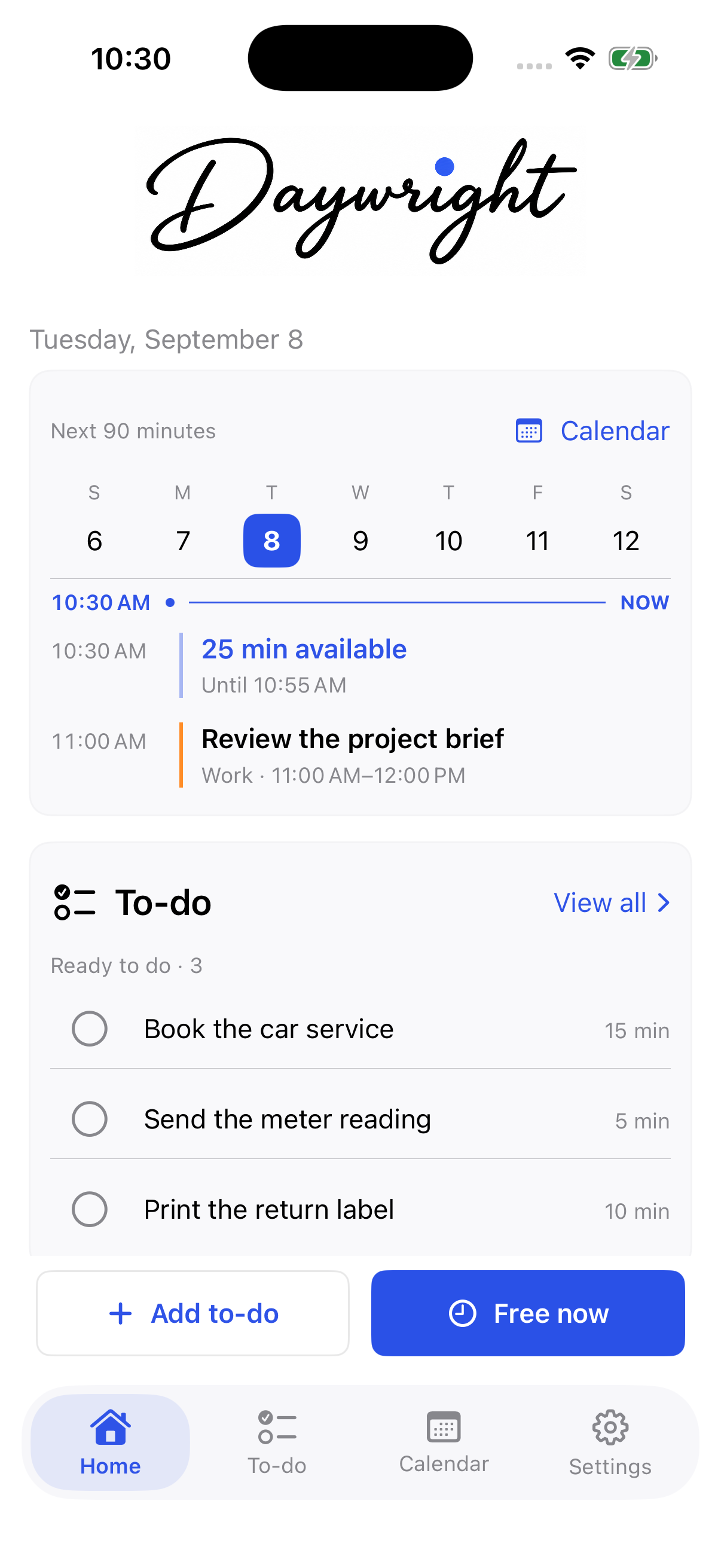
Keep your to-dos alongside the calendars you choose. When you have a little time, Daywright helps you find something that fits.
Choose what to work on, leave a note when you stop, and pick it up again with your progress still there.
See how it worksApple builds are in beta testing. Android development is underway. See platform details. Public download links will appear here when available.
Apple and Android
A place for your day, on the phone you choose.
iPhone and iPad
The Apple edition is in beta testing, with native iPhone and iPad layouts. It includes calendar planning, progress and waiting, plus optional iCloud sync, nearby to-dos, and a paired Apple Watch companion.
Requires iOS 17 or iPadOS 17 or later. The Watch companion requires watchOS 10 or later and a paired iPhone.
Android
A native Android edition is now in development, bringing Daywright’s approach to capture, planning, progress, and waiting to Android.
The first version is being built around local task storage and read-only calendars. Public downloads and supported-device details will be announced here.
Know which edition you’re using
The screenshots and detailed feature walkthroughs below show the Apple edition. Android features will be documented as they become available.
Task sync between Apple and Android is not part of the current Android build scope. Apple subscriptions do not automatically transfer to Android.
01 / Capture
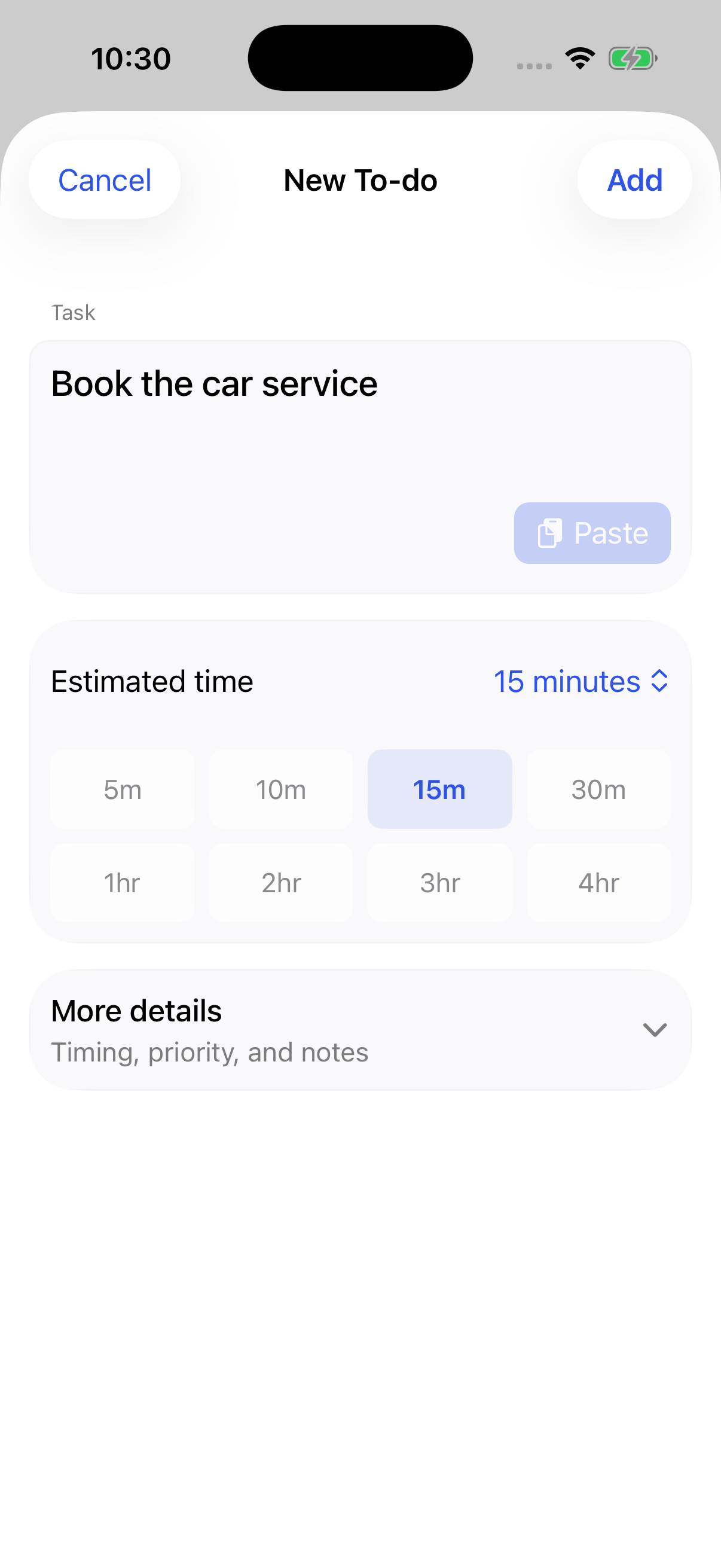
Start with a name and a rough estimate.
Book the car service. Send a meter reading. Return a parcel. Add a to-do and say how long it might take. Leave it flexible, or choose a time for it.
More details are there when you need them: a deadline or target, availability, priority, notes, and a saved place. Share text or a link from another app to review as a draft.
You can also ask Siri to add a to-do. Choose whether it saves straight away or opens for review.
02 / Find time
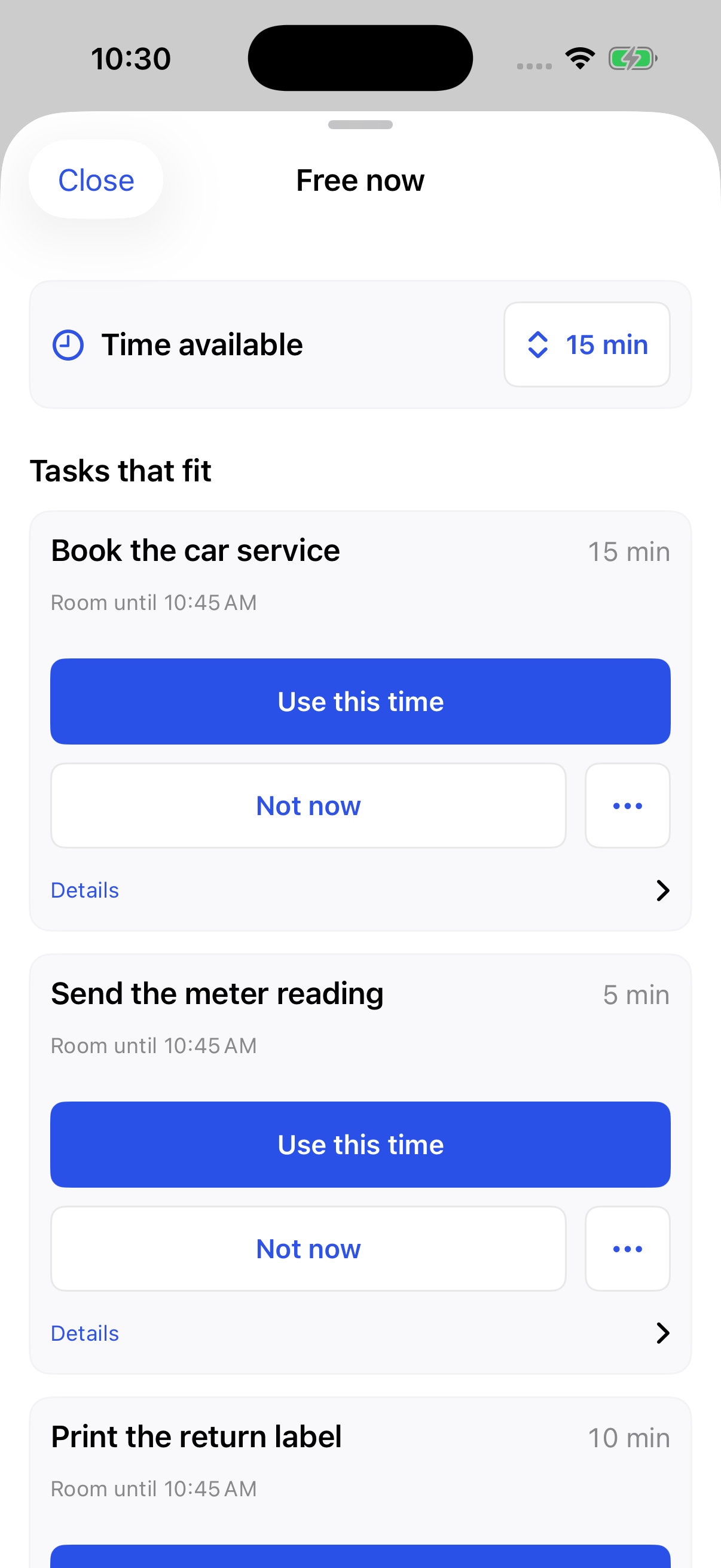
Fifteen minutes is a useful place to start.
Open Free now, choose the time you have, and look through to-dos that fit. Tap Use this time to place your choice in Daywright, or leave the time free.
Planning ahead? Browse Calendar in week or month view, choose an opening, or give a to-do a scheduled start. Daily, weekly, and monthly repeats each keep their own completion status.
Daywright uses the calendars you include and shows a notice when coverage is incomplete. Calendar access is optional; you can also work from the time you say you have.
03 / Keep your place
Unfinished doesn’t mean starting over.
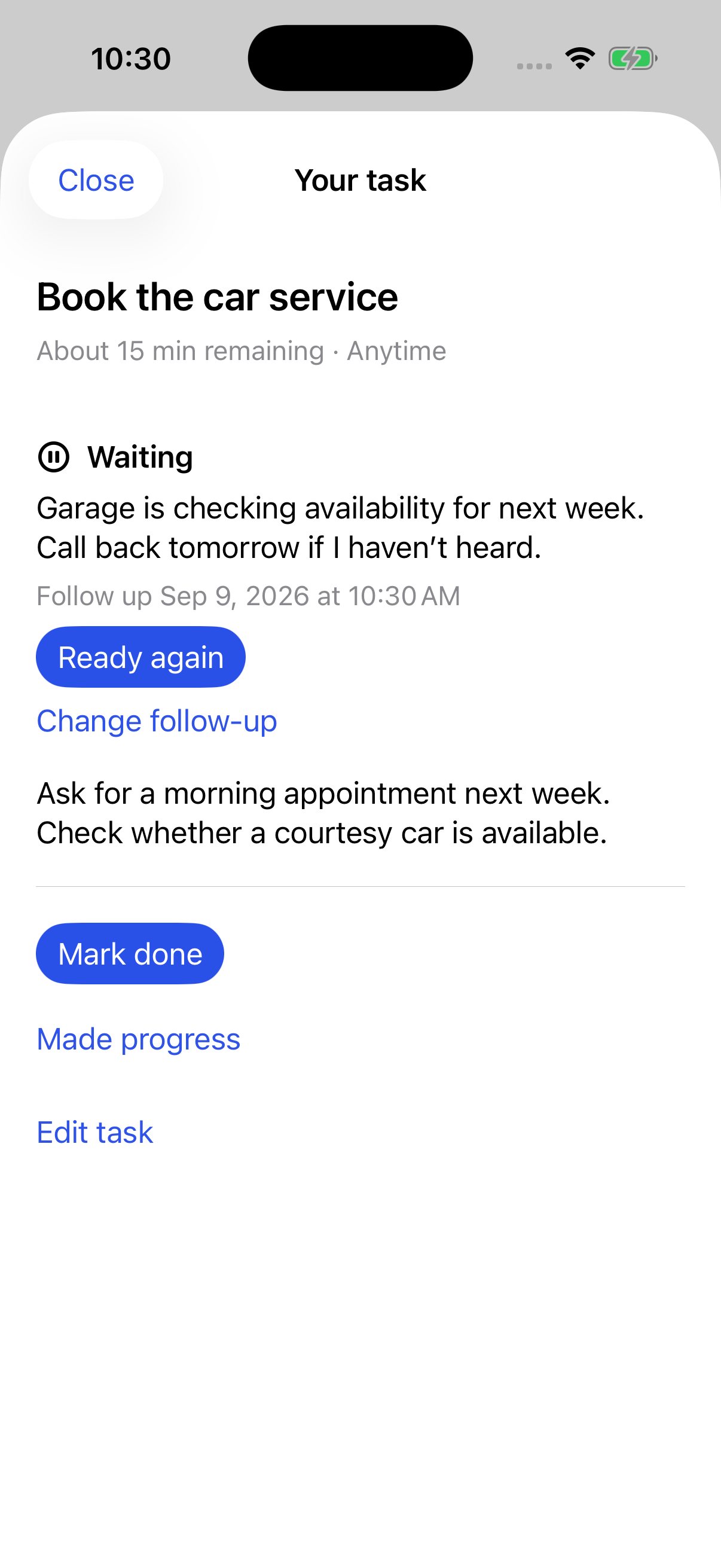
Made progress keeps a note of what you did and an updated estimate of what remains. You keep the context you need for the next time you work on it.
Waiting for a reply or delivery? Choose Waiting on something, record the reason, and add an optional follow-up date. It stays out of suggestions until you mark it Ready again.
In To-do, search titles and notes, filter by status, and revisit completed work. A scheduled time ending never marks a task done for you.
On iPad
More room for your day.
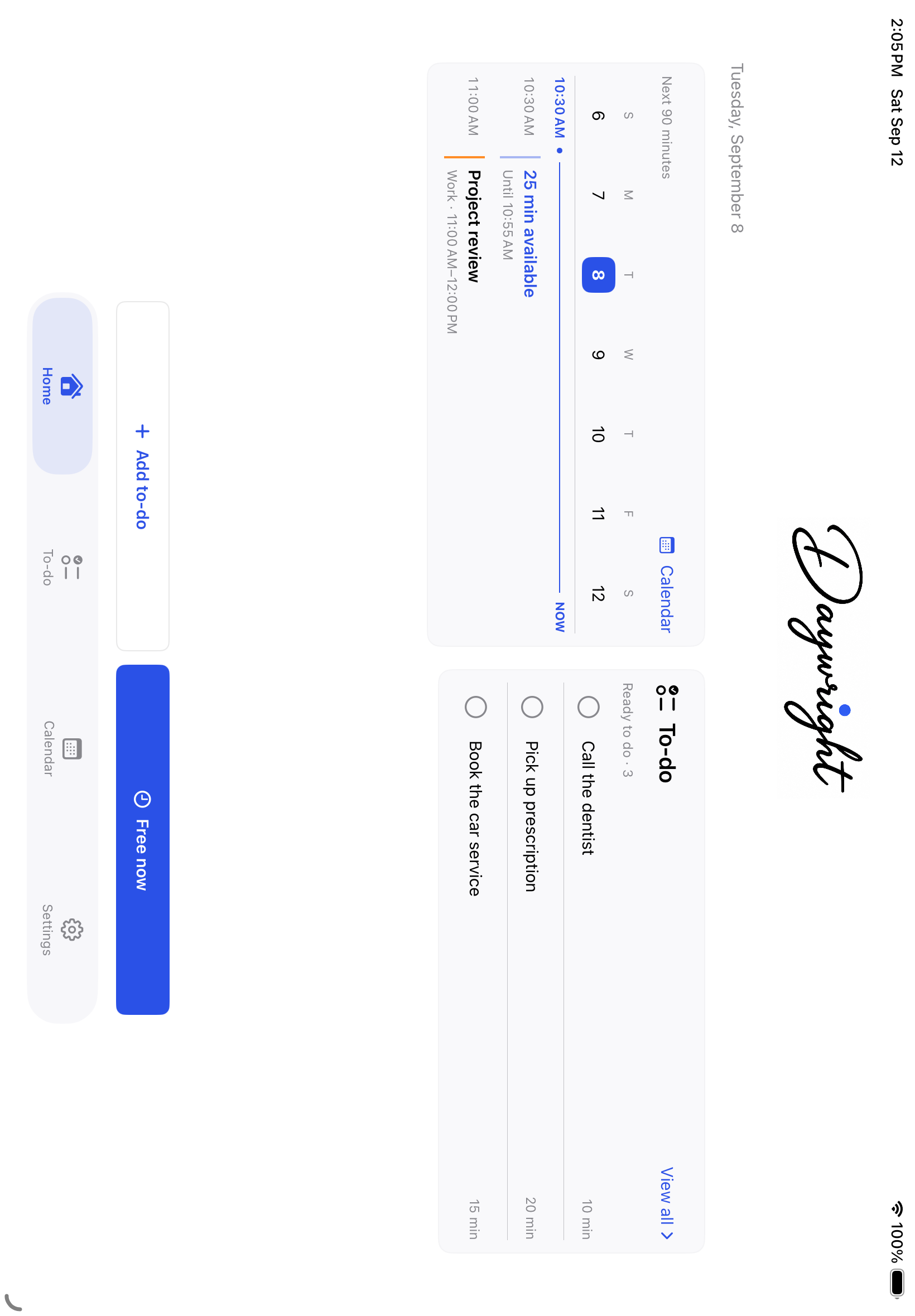
Daywright now has a native iPad layout. In a wider window, Home puts your calendar and ready to-dos side by side. Rotate your iPad or make the window smaller, and the layout adjusts to the space you have.
The same tools for capture, planning, and progress work on iPad, with support for larger text and keyboard entry. Turn on optional iCloud sync to keep tasks, notes, and progress in step with your iPhone, or continue with a local task list.
Requires iOS 17 or iPadOS 17 or later.
Close at hand, in the way you prefer.
On your Home and Lock Screens
See scheduled and ready work in a widget. Show a Live Activity during a scheduled task for a view of the time remaining. Widget titles and Live Activity titles have separate privacy controls.
With Siri and quick controls
Add a to-do, ask for something that fits, or hear about today with Siri and Shortcuts. On iOS 18 or iPadOS 18 or later, open Add to-do or Free now from Control Center or a supported iPhone’s Action button.
With your own appearance
Follow your device’s appearance or choose light or dark. Pick Daywright Blue, Sage, Plum, or Amber as your accent.
In the Apple edition
On your wrist. Around the corner. Across your devices.
Optional iCloud sync
Keep tasks, notes, progress, and planning hours in step between your iPhone and iPad. Turn on sync in Settings when you want it. Daywright and Shift keep separate data.
Set up iCloud syncApple Watch
See today’s to-dos and your next scheduled task. Capture a thought, mark a task done, or undo a completion from your wrist. A captured title waits for an estimate on your phone; changes stay Pending until the phone saves them.
Use the Watch companionNearby to-dos
Save the pharmacy with “Pick up prescription” or the parcel shop with “Return parcel.” See to-dos near you, with an optional reminder when you arrive.
Add a place to a to-doYour calendars stay yours.
Daywright reads your included calendars without changing their events. Task placements stay in Daywright, and there’s no separate Daywright account. Optional sync uses your private iCloud database.
Local storage remains available with sync off. Saved places can sync, but your current location and calendar-provider data stay local. Apple Watch, backups, widgets, Siri, and Shortcuts have their own data considerations, explained in the privacy policy. The app has no advertising or third-party analytics SDKs.
Also from Daywright
Work shifts? Meet Daywright: Shift.
A separate, private iPhone app for shift patterns, recorded hours, estimated pay, and the to-dos around work.
Explore Daywright: Shift